Selecting the ideal office printer can be more difficult than it first appears. With so many models to choose from, it’s simple to concentrate on the cost and ignore the features that are truly important for your workplace. The requirements of an office handling hundreds of pages per week will differ significantly from those of an office printing a few documents each day. Your post-purchase experience may be impacted by printing speed, print quality, paper capacity, connectivity, and ongoing ink or toner costs. Additionally, you should consider whether you require basic printing or extra features like copying and scanning. Making the correct decision can improve team productivity and prevent needless disruptions. However, selecting a printer that doesn’t fit your workload may result in slower printing, more frequent cartridge replacements, or increased operating expenses. The key elements to take into account before making a choice will be covered in this guide to office printer purchases. You will discover how to evaluate various printer models and identify the features that are appropriate for your specific workplace. By the end, you ought to have a better understanding of how to select an office printer that meets both your daily requirements and your financial constraints.
How to Choose an Office Printer
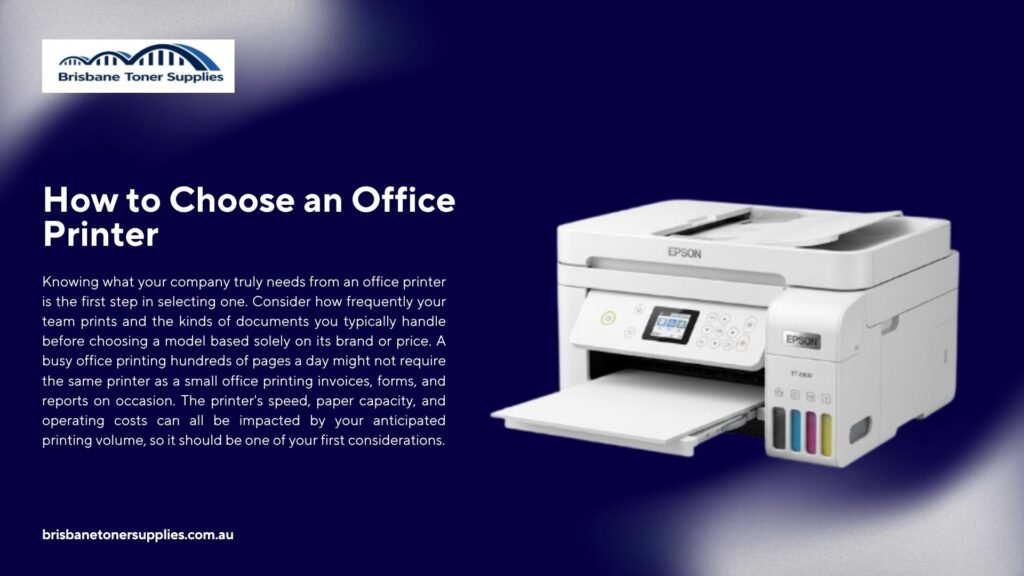
Knowing what your company truly needs from an office printer is the first step in selecting one. Consider how frequently your team prints and the kinds of documents you typically handle before choosing a model based solely on its brand or price. A busy office printing hundreds of pages a day might not require the same printer as a small office printing invoices, forms, and reports on occasion. The printer’s speed, paper capacity, and operating costs can all be impacted by your anticipated printing volume, so it should be one of your first considerations. Additionally, you should check the printer’s speed, particularly if multiple staff members will be using it. Additionally, print quality is important, especially if your office frequently creates documents with graphics, marketing materials, or presentations. Automatic duplex printing is one feature that can simplify daily tasks while lowering the amount of paper used. When workers need to print from various computers or mobile devices, wireless and network connectivity can also be helpful. An all-in-one model with scanning and copying capabilities might be worthwhile if your office requires more than just printing. Instead of paying for features you might never use, you can choose an office printer that suits your workload by considering these factors before making a purchase.
What Type of Printer Is Best for Office Use?
There isn’t a single type of printer that works best in every office. The best option will depend on what you print, how much you print, and what features your team truly needs. Because laser printers are made for quick and reliable printing, they are frequently appropriate for offices that deal with a lot of text-based documents. For companies that frequently print images, graphics, presentations, and other colour materials, inkjet printers may be a sensible choice. All-in-one printers are helpful for offices that require multiple functions without purchasing separate machines because they combine printing, scanning, and copying into a single device. Conversely, single-function printers are primarily focused on printing and can function effectively if your office already has copiers or scanners. The cost of ink or toner should also be taken into account, as these recurring costs may have a greater influence than the initial cost of the printer. Your choice should also be influenced by how many people use the printer and how much printing your office does. A small team with sporadic printing needs might be able to get by with a basic printer, but a busy office might need a faster model with more capacity. You can select the printer type that best suits your office by taking into account your daily workload, document types, budget, and necessary features.
Laser vs Inkjet Printer for Office Use
How often do you use the printer? Because they provide quick and accurate printing for reports, invoices, forms, and other paperwork, laser printers are frequently used for text-heavy documents. For offices that frequently print images, graphics, presentations, and other colour materials, inkjet printers are frequently a good choice. Another thing to think about is printing speed, particularly if multiple staff members use the same printer all day. The best option may vary based on whether your office primarily prints text or detailed colour content, so you should also compare print quality. Because ink and toner replacements can accumulate over time, operating costs are also significant. Check the estimated page yield and replacement cost of the printer’s ink system or cartridges before making a purchase. Maintenance, such as how frequently consumables need to be changed and how accessible they are, should also be taken into account. While an inkjet printer might be more effective for companies that require flexible colour output, a laser printer might be better suited for offices with heavier workloads and frequent text printing. It is preferable to compare the actual specifications of different printer models rather than depending solely on the type of printer. You can reduce your options by considering your office’s printing volume, document types, budget, and ongoing expenses. The printer that best suits your team’s daily requirements without adding extra features or expenses is ultimately the best option.
Best Printer for a Small Office
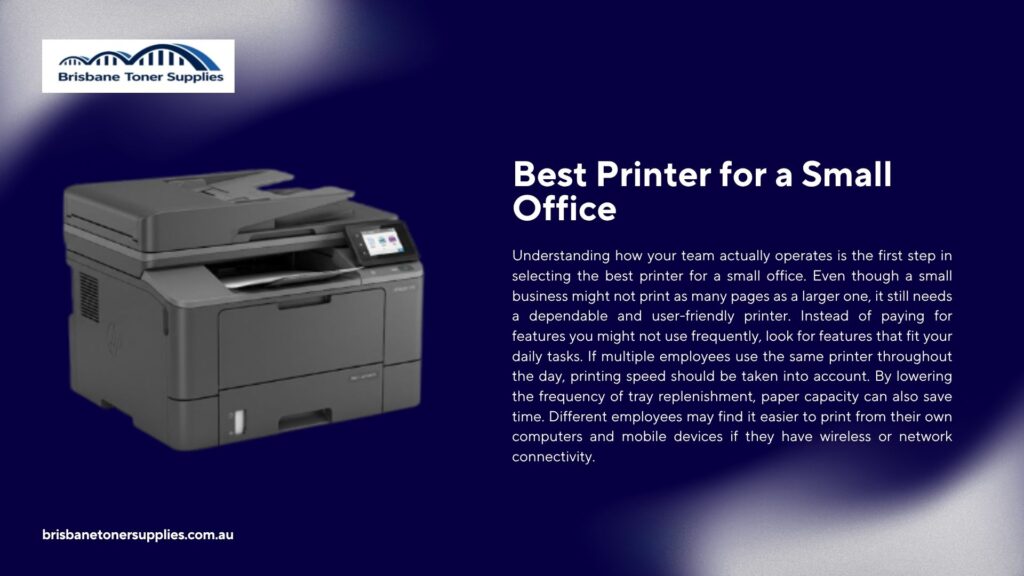
Understanding how your team actually operates is the first step in selecting the best printer for a small office. Even though a small business might not print as many pages as a larger one, it still needs a dependable and user-friendly printer. Instead of paying for features you might not use frequently, look for features that fit your daily tasks. If multiple employees use the same printer throughout the day, printing speed should be taken into account. By lowering the frequency of tray replenishment, paper capacity can also save time. Different employees may find it easier to print from their own computers and mobile devices if they have wireless or network connectivity. If your office frequently needs to scan or copy documents, an all-in-one printer might be helpful. A laser printer might be a sensible choice for companies that primarily print contracts, invoices, and reports. An inkjet model might be preferred by offices that regularly print graphics or colour materials. Because a low purchase price does not always translate into lower operating costs, you should also compare the costs of ink and toner. You can select a printer that works for your business by considering the workload, available space, and daily printing requirements of your office.
Best Printer for High-Volume Printing
There are more factors to consider when selecting a printer for large-scale printing than just its printing speed. A machine that can handle frequent use without constant interruptions is necessary for offices that generate hundreds or thousands of pages per month. To begin, determine whether the printer’s suggested monthly duty cycle corresponds with your anticipated workload. Additionally, printing speed is crucial because slow output can cause delays when staff members urgently need large documents. Since frequent cartridge replacements can raise your ongoing costs, toner or ink yield should also be taken into account. By lowering the need to refill paper during peak times, a printer with a larger paper tray can also save time. For offices that frequently print lengthy documents and wish to use less paper, automatic duplex printing may be helpful. The printer’s dependability and ease of maintenance should also be taken into account. While some inkjet models with refillable tanks may also be suitable for offices with regular colour printing needs, laser printers are frequently considered for high-volume text printing. When several employees need to send print jobs to the same machine, network connectivity is another helpful feature. You can select a high-volume printer that meets daily office demands by contrasting these features with your actual printing workload.
What Are the Four Main Types of Printers?
Inkjet, laser, LED, and dot matrix printers are the four primary categories of printers. Each type is made for a different kind of work and employs a different printing technique. Documents, graphics, and colour images are frequently printed using inkjet printers, which use liquid ink. For quick and reliable text printing in offices, laser printers, which use toner, are frequently selected. LED printers function similarly to laser printers, but they produce the image on the page using an LED array rather than a laser. Dot matrix printers, which are still utilised for some forms and multi-part documents, strike an ink ribbon with tiny pins. Printing volume, document type, speed, and operating expenses are all important considerations when choosing a printer. While some printers are useful for particular business needs, others are better suited for routine office documents. Before making a purchase, it’s crucial to take into account the price and availability of ink, toner, and other consumables. Finding a model that works for your office can be made simpler by being aware of the fundamental distinctions between these four printer types. You can choose a printer for your workplace with greater knowledge if you compare how each one operates and what it can handle.
Which Printer Gives the Best Quality?
What your office needs to print most frequently will determine which printer offers the best quality. Laser printers are a great choice for reports, contracts, invoices, and other business documents because of their reputation for producing crisp, clear text. Presentations and marketing materials can benefit from the smooth graphics and detailed colour images produced by inkjet printers. The type of paper, ink, and toner can all have an impact on print quality, so it’s not just the printer. Another specification to look at when comparing models is printer resolution, though a higher number does not always translate into better outcomes for all kinds of documents. If the majority of the printing in your office is text, pay attention to consistent output and clear characters. Choose a printer that can handle colours and fine details if you frequently print images or materials with a lot of colour. Because poor-quality ink, toner, or paper can have an impact on the final print, the quality of the consumables is also important. Examining the printer’s ability to generate consistent results for larger print jobs is also beneficial. Compare a printer’s performance to the kinds of documents your office actually produces, rather than selecting one solely on the basis of its stated resolution. You can get better results without paying for features you don’t need by matching the printer to your unique printing requirements.
Common Office Printer Features and Buying Mistakes
The ideal office printer should simplify daily tasks without increasing expenses or complications. By printing on both sides of a sheet, features like automatic duplex printing can help cut down on the amount of paper used. When staff members need to scan or copy several pages at once, an automatic document feeder can be helpful. Employees may find it simpler to send documents from laptops, smartphones, and tablets thanks to wireless and mobile printing. Printer security features might also be worth taking into account for companies that handle sensitive documents. Another element that can lower electricity consumption is energy efficiency, particularly when the printer is used frequently. Nevertheless, a printer may not always be a better option for your office just because it has more features. Selecting a printer solely on the basis of its purchase price without considering the cost of ink or toner is a common error. Purchasing sophisticated features that your team hardly ever uses is another error. Additionally, you shouldn’t purchase a printer without taking the number of users and the anticipated printing volume into account. You can avoid an expensive or inconvenient purchase by taking the time to compare practical features, operating costs, and your actual office needs.
Final Thoughts
Finding a model that meets your team’s real printing needs is the key to selecting the best office printer. To begin, think about how much your office prints and how frequently the printer will be used during the day. While print quality is more important when producing customer-facing documents or colour materials on a regular basis, printing speed is crucial for busy workplaces. By lowering the need for frequent refills, paper capacity can also have an impact. If multiple employees need to share a printer, you should also consider connectivity. When they fit your workflow, features like automatic duplex printing, scanning, and copying can make daily tasks more convenient. While inkjet printers might be helpful for companies that require detailed colour output, laser printers can be appropriate for offices that print text frequently. Because these costs persist beyond the initial purchase, you should also consider the cost of ink or toner. Steer clear of selecting a printer solely on the basis of its cost or a long list of features that your office might not use. Instead, weigh your anticipated workload against the printer’s speed, quality, capacity, connectivity, and ongoing costs. You can select an office printer that will benefit your company and continue to be useful over time by taking the time to consider these aspects.