


Whether you’re at home or at work, finding the best all-in-one printer can greatly improve the convenience of daily printing, scanning, and copying. With so many models available, picking the best one will depend on your budget, desired features, and printing requirements. While some printers are made to handle the heavier workloads of a home office or small business, others are perfect for infrequent use at home. Before making a choice, you should also think about print quality, speed, wireless connectivity, and recurring ink costs. In addition to providing practical features like automatic duplex printing and mobile printing, a dependable all-in-one printer should perform consistently. Selecting a printer with inexpensive or refillable ink can help reduce long-term costs if you print frequently. The speed and efficiency of a laser all-in-one printer may be advantageous to those with larger print volumes. There are many great options available, whether you’re looking for the best wireless all-in-one printer or an inexpensive model with cheap ink. It will be simpler to reduce your options if you are aware of the main distinctions between printer types. You can choose the ideal all-in-one printer for your home, home office, or small business by using this guide to compare the top models.
What Is an All-in-One Printer?
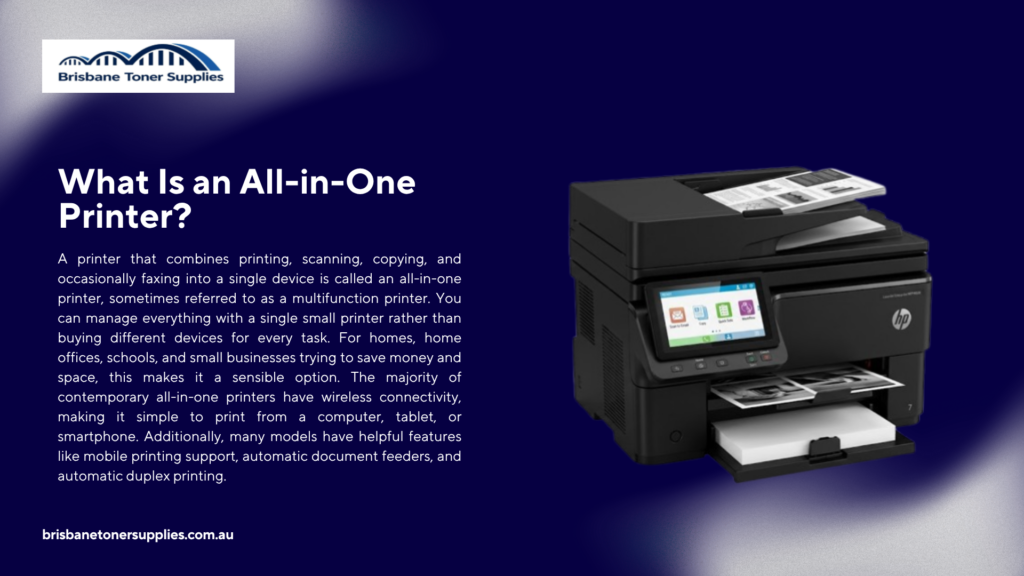
A printer that combines printing, scanning, copying, and occasionally faxing into a single device is called an all-in-one printer, sometimes referred to as a multifunction printer. You can manage everything with a single small printer rather than buying different devices for every task. For homes, home offices, schools, and small businesses trying to save money and space, this makes it a sensible option. The majority of contemporary all-in-one printers have wireless connectivity, making it simple to print from a computer, tablet, or smartphone. Additionally, many models have helpful features like mobile printing support, automatic document feeders, and automatic duplex printing. While laser models are better suited for quick, high-volume printing, inkjet all-in-one printers are perfect for colourful documents and photos. Your budget, printing preferences, and the kinds of documents you print most frequently will determine the best option. By eliminating the need for numerous devices, an all-in-one printer can also help streamline your workspace. These printers are made to be convenient and dependable, regardless of how often you print. Finding an all-in-one printer that meets your needs and budget is simple thanks to the large selection of models.
Why Choose an All-in-One Printer?
Because an all-in-one printer integrates several features into a single device, making daily tasks easier, it’s a wise investment. Printing, scanning, and copying can all be done with a single small device rather than multiple machines. This can lower the total cost of purchasing and maintaining numerous devices, in addition to saving important desk space. You can print from laptops, smartphones, and tablets without using cables thanks to the wireless connectivity found in many all-in-one printers. It’s simple to select one that fits your printing requirements and budget because they come in both inkjet and laser models. An all-in-one printer can effectively handle a variety of tasks, including printing office documents, school assignments, shipping labels, and family photos. To increase efficiency and convenience, modern models also come with features like document feeders, mobile printing, and automatic duplex printing. Selecting a model with high-yield cartridges or refillable ink tanks can help reduce your long-term printing expenses if you print frequently. These printers are made to provide dependable performance while streamlining your workflow, whether you use them for everyday business printing or just occasionally at home. It’s simple to understand why all-in-one printers are a popular option for both homes and businesses, given their adaptability, affordability, and user-friendly features.
Best All-in-One Printer for Home
The ideal all-in-one printer for the home should be dependable, user-friendly, and able to perform a range of routine printing tasks. A multifunction printer can greatly simplify your life, whether you’re printing important documents, family photos, homework, or recipes. Sharp text, vivid colour prints, and reliable scanning and copying capabilities should all be provided by a good home printer that doesn’t take up much room. Another essential is wireless connectivity, which enables everyone in the home to print straight from their tablets, laptops, or smartphones. To reduce long-term printing costs, if you print a lot, think about getting a model with high-yield cartridges or refillable ink tanks. Automatic duplex printing can help families with students by saving time and paper. For the majority of home users, consistent print quality and reasonable operating costs are even more crucial than print speed. Selecting a printer that is simple to set up and maintain is also important, particularly if it will be used by several people. Your budget, printing preferences, and printing habits will determine which of the many dependable inkjet and laser models is best for you. You can select the ideal all-in-one printer for your house with confidence by weighing your requirements against the features that each printer provides.
Best All-in-One Printer for Home Office
To select the best all-in-one printer for your home office, look for a model that is both economical and capable of handling your daily workload. A dependable multifunction printer can keep you productive all day long, whether you’re printing reports, contracts, invoices, or presentation materials. High-quality output and quick print speeds are crucial, particularly if you frequently create documents that look professional. Working from a laptop, desktop, tablet, or smartphone is made easier by wireless connectivity, which enables you to print from multiple devices. When managing larger print or scan jobs, features like automatic duplex printing and an automatic document feeder can also save time. If your work involves frequent printing, choosing a printer with high-yield cartridges or a refillable ink tank system can significantly reduce operating costs. Laser all-in-one printers are often preferred for high-volume document printing, while inkjet models are a great choice if you also need vibrant color graphics or photos. It’s also important to consider paper capacity, ease of maintenance, and compatibility with your preferred operating system. A dependable home office printer should provide consistent performance without requiring constant attention or expensive supplies. By selecting a printer that matches your workflow and budget, you can create a more efficient and productive home office.
Best Wireless All-in-One Printer
The ease of printing, scanning, and copying without the trouble of attaching cables to your devices is provided by a wireless all-in-one printer. It makes daily tasks quicker and more flexible by enabling you to print from laptops, smartphones, tablets, and even cloud storage services. This is particularly helpful for homes and workplaces where several people require access to the same printer. For quick and simple printing, the majority of wireless printers support well-known technologies like Apple AirPrint, Mopria, and specialised mobile apps. Even when you’re working from a different room, a dependable wireless connection guarantees that your documents are sent and printed without any issues. To increase productivity, many models also have high-resolution scanning, document feeders, and automatic duplex printing. Print quality, printing speed, paper capacity, and the price of replacement ink or toner should all be taken into account when comparing options. Selecting a printer that is compatible with your operating system and common devices is also crucial. A wireless all-in-one printer offers the versatility to manage a range of tasks, whether you’re printing family photos, business documents, or schoolwork. You can benefit from a more orderly workspace and a more seamless printing experience by selecting the appropriate model.
Best Inkjet All-in-One Printer
For consumers who want high-quality colour printing, scanning, and copying all in one small package, an inkjet all-in-one printer is a great option. It is perfect for home users, students, and creative professionals because it generates vivid images, intricate graphics, and crisp text. Wireless printing is also supported by many inkjet models, making it simple to print from a laptop, tablet, or smartphone. An inkjet printer usually produces higher-quality images than a laser printer if you print colour documents or family photos on a regular basis. Depending on your spending limit and printing preferences, modern inkjet all-in-one printers come with refillable ink tank systems or conventional ink cartridges. Ink tank printers are especially popular because they offer a lower cost per page and require fewer refills over time. When comparing models, consider print speed, print resolution, paper handling, and the ongoing cost of replacement ink. Features such as automatic duplex printing and an automatic document feeder can also improve convenience and productivity. The best inkjet all-in-one printer balances print quality, running costs, and useful features for your everyday needs. By choosing a model that matches your printing volume and budget, you can enjoy reliable performance for years to come.
Best Laser All-in-One Printer
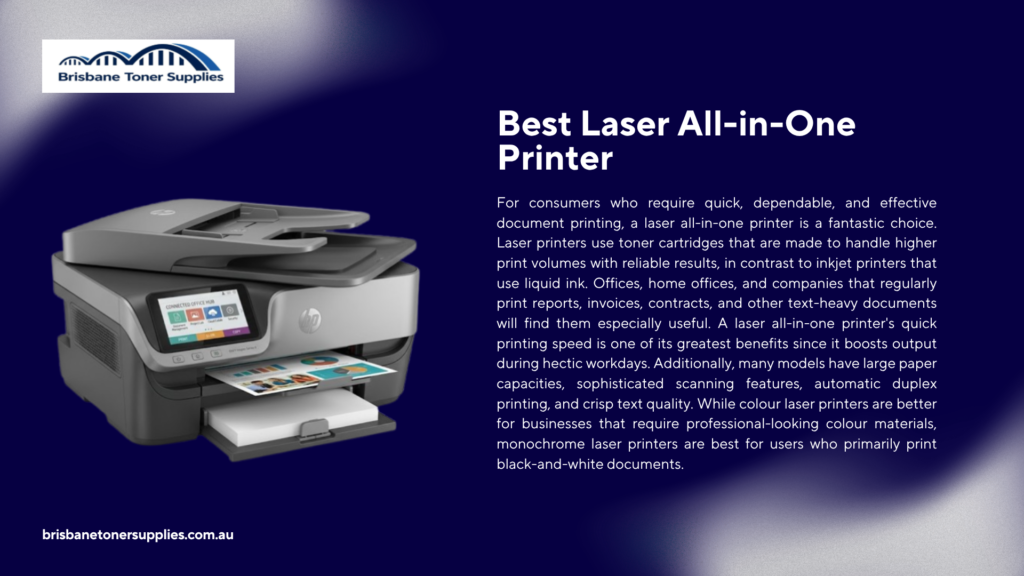
For consumers who require quick, dependable, and effective document printing, a laser all-in-one printer is a fantastic choice. Laser printers use toner cartridges that are made to handle higher print volumes with reliable results, in contrast to inkjet printers that use liquid ink. Offices, home offices, and companies that regularly print reports, invoices, contracts, and other text-heavy documents will find them especially useful. A laser all-in-one printer’s quick printing speed is one of its greatest benefits since it boosts output during hectic workdays. Additionally, many models have large paper capacities, sophisticated scanning features, automatic duplex printing, and crisp text quality. While colour laser printers are better for businesses that require professional-looking colour materials, monochrome laser printers are best for users who primarily print black-and-white documents. Laser printers may cost more up front, but over time they can save money thanks to their longer-lasting toner and lower cost per page. Take into account elements like monthly print volume, connectivity choices, and maintenance needs when selecting the best laser all-in-one printer. Modern laser printers are also more practical for flexible work environments thanks to wireless features and support for mobile printing. You can benefit from quicker printing, dependable performance, and reduced long-term operating costs by choosing a laser all-in-one printer that suits your workload and budget.
Best All-in-One Printer for Small Business
To support daily operations, the best all-in-one printer for small businesses should offer dependable performance, effective features, and reasonable operating costs. Small businesses frequently require a printer that can perform a variety of functions, such as printing reports and invoices, scanning contracts, and copying crucial documents. By combining multiple uses into one handy device, a multifunction printer helps save valuable office space. Considerations like printing speed, paper capacity, connectivity, and monthly duty cycle are crucial when selecting a printer for business use. With a wireless printing model, staff members can print from various devices without requiring complex setups. Large print and scan jobs can be completed more quickly and easily with features like duplex printing and automatic document feeders. Because laser all-in-one printers provide faster speeds and lower costs for large volumes of text documents, they may be advantageous for businesses with high printing demands. However, companies that require high-quality colour prints for presentations or marketing materials may find that inkjet models are a better option. When choosing a business printer, security features, network compatibility, and ease of maintenance are also crucial considerations. Small businesses can enhance workflow, cut costs, and manage routine document tasks more effectively by selecting the appropriate all-in-one printer.
Best All-in-One Printer with Cheap Ink
Selecting an all-in-one printer with inexpensive ink can lower long-term printing expenses while maintaining dependable performance for routine tasks. Many consumers only pay attention to the printer’s initial cost, but ink costs can mount up over time. High page yields, inexpensive replacement cartridges, or a refillable ink system that allows you to print more for less are all characteristics of an economical printer. Because they use refillable bottles that can produce thousands of pages before requiring a refill, ink tank all-in-one printers are growing in popularity. For homes, students, and small businesses that print frequently, they are an excellent choice. If you select models with high-yield ink options or subscription plans, traditional cartridge-based printers can also be reasonably priced. When comparing printers, take into account the price per page, the availability of ink, and the availability of compatible or third-party options. Without raising printing costs, features like wireless printing, automatic duplex printing, and scanning capabilities can add more value. Affordable supplies, high-quality output, and practical features should all be balanced in the best all-in-one printer with inexpensive ink. You can take advantage of convenient printing while controlling your spending by selecting a printer with low operating costs.
Affordable All-in-One Printers Worth Buying
For consumers who need dependable printing, scanning, and copying without going over budget, an inexpensive all-in-one printer can be a fantastic option. Many of the helpful features found in more costly printers are now available in more affordable models, such as wireless connectivity, mobile printing, and high-quality colour output. Finding a printer that performs well and keeps ink or toner costs reasonable is crucial. An inexpensive inkjet all-in-one printer is frequently sufficient for home users to print personal documents, schoolwork, and occasionally pictures. Because it offers better long-term savings, people who print frequently might favour an inexpensive ink tank model. Affordable multifunction printers with dependable performance and quick printing speeds are also available for small offices. It’s crucial to take into account aspects like print quality, upkeep, and replacement supply costs when selecting a less expensive printer. Features like wireless compatibility, scanning resolution, and automatic duplex printing can increase the value of your purchase. The best inexpensive all-in-one printer should satisfy your daily requirements without necessitating costly upgrades or regular maintenance. You can locate a dependable printer that offers great value for your money by comparing features and operating expenses.
Inkjet vs Laser All-in-One Printers
Your printing preferences, financial situation, and the kinds of documents you typically produce will all influence your decision between an inkjet and laser all-in-one printer. Inkjet printers are a popular option for images, graphics, and creative projects because of their reputation for producing high-quality colour prints. They are a sensible choice for households, students, and users with sporadic printing needs because they are typically less expensive up front. Conversely, laser printers are made to print documents quickly, effectively, and in large quantities. They can produce crisp text and manage heavier workloads with fewer replacements because they use toner rather than liquid ink. Even though laser printers are typically more expensive to buy, they can eventually result in lower printing costs, particularly for companies that print a lot. Laser models are best for people who primarily print text-based documents, while inkjet models are more appropriate for users who value colour accuracy. Both varieties are offered as all-in-one printers with wireless connectivity, automatic duplex printing, scanning, and copying capabilities. Take into account your required print quality, monthly print volume, and long-term operating costs when choosing between the two. You can select the best option for your home, office, or business needs by being aware of the distinctions between inkjet and laser all-in-one printers.
How to Choose the Best All-in-One Printer
It’s important to consider factors other than price when selecting the best all-in-one printer, such as which features best suit your everyday printing requirements. Start by thinking about how frequently you print and what kinds of documents you typically produce, such as text files, images, business materials, or school assignments. A cheap inkjet all-in-one printer might be sufficient if you print infrequently, but a laser model or an ink tank printer might be better for regular users. Other crucial elements to take into account, particularly for busy homes or offices, are print speed, print quality, and paper capacity. Another helpful feature that makes it simple to print from laptops, smartphones, and tablets without having to deal with extra cables is wireless connectivity. For added convenience, you should also look for extra features like cloud printing support, automatic document feeders, and automatic duplex printing. Because recurring costs can have a greater influence than the initial purchase price, the cost of ink or toner should not be disregarded. Selecting a printer from a reputable company with readily available replacement parts and excellent customer service is also beneficial. Choose a model that will fit comfortably in your workspace after considering the available space in your house or place of business. You can find an all-in-one printer that offers the ideal balance of performance, convenience, and value by comparing your printing habits, budget, and necessary features.
Final Thoughts
Understanding your unique printing requirements, your budget, and the features that are most important to you will help you choose the best all-in-one printer. There are numerous options to suit various workloads and preferences, whether you need a printer for home use, a home office, or a small business. While laser models are better suited for quick and large-volume document printing, inkjet all-in-one printers are an excellent option for users who require high-quality colour printing. Selecting a printer with inexpensive ink or a refillable ink tank system can offer better value over time if minimising long-term expenses is a top concern. Additionally, wireless connectivity, automatic duplex printing, and scanning capabilities can improve the efficiency and convenience of daily tasks. Think about things like print quality, print speed, maintenance costs, and how frequently you will use the printer before making a purchase. It might be wiser to invest in a slightly more expensive model with lower operating costs rather than a less expensive printer with pricey supplies. The ideal all-in-one printer should simplify your workflow and offer dependable performance for many years. You can avoid superfluous features and select a printer that provides the best value by comparing various models and concentrating on your real needs. There is an all-in-one printer that can meet your needs, regardless of whether you value affordability, ease of use, or output of expert quality.